
Jamf MSP services that keep your Apple devices secure and ready
Atlas Solutions is a Jamf MSP and Reseller. We set up, manage, and support Jamf for businesses that run Mac, iPhone, and iPad, so devices stay secure, up to date, and ready for work. You get an Apple-focused team without hiring a full-time Jamf admin.
Or call 704-897-2690

When nobody on your team owns Jamf
Jamf was set up once and never finished, or the person who built it has moved on. Nobody on your team works on Apple full time, so updates slip and every new Mac needs hands-on setup. Your current IT provider supports Mac, but it isn't their focus, and tickets take longer than they should. The devices and the tools are in place. What's missing is someone who manages them every day.
What you get with Atlas Solutions as your Jamf MSP
Jamf works with three kinds of partners: resellers who supply Jamf licenses, integrators who set up a first deployment, and managed service providers who run your Jamf environment for you. Atlas Solutions is a Jamf MSP and Reseller with Jamf Integrator and Jamf Services Partner history, so setup, licensing, and ongoing management can sit with one partner. Choose fully managed, where we run Jamf for you, or co-managed, where we work alongside your IT team.

-
Setup or a fresh start
New to Jamf, or was Jamf Pro set up and never finished? We build it or clean it up, then connect Apple Business (formerly Apple Business Manager) so new devices enroll on their own. With zero-touch deployment, a new Mac can ship straight to the person who will use it.
-
Day-to-day management
We handle apps, settings, inventory, and Self Service+ in Jamf Pro, and keep macOS, iOS, iPadOS, and app updates on schedule. Requests and tickets go to people who work in Jamf every day.
-
Security baselines
Encryption posture, endpoint controls, monitoring, patching without waiting on users. No SKU list padded for show.
-
Device lifecycle
New hires get a ready-to-use Mac on day one. When someone leaves, we lock or wipe the device, reclaim it, and get it ready for the next person. Every device follows the same steps.
-
Mac sign-in with your work account
Jamf Connect lets people sign in to their Mac with the same account they use for work apps, through Okta, Microsoft Entra ID, or Google Workspace. We set it up so every new device and new hire follows the same sign-in process.
-
Jamf licensing
As a Jamf Reseller, we can quote your Jamf licenses alongside the management work. Jamf also offers licensing options for customers who work through an MSP, and we'll walk you through them on a call.
Why teams choose Atlas Solutions
Atlas Solutions is a Jamf MSP and Reseller with Jamf Integrator and Jamf Services Partner history, and an Apple Technical Partner. We've worked with Apple and Jamf for more than 10 years. Through our managed IT services, we support Apple-focused teams and mixed Mac and Windows teams. Most of the work is remote, with on-site visits when hardware needs them.
“Over the past few years I've worked with Atlas Technology Solutions on our JAMF implementation supporting 400+ clients and devices. From the moment I met Chad the owner, I've been impressed not only with his expertise, but his ability listen to our needs and to offer the best solutions for our situations.”

Related services
-
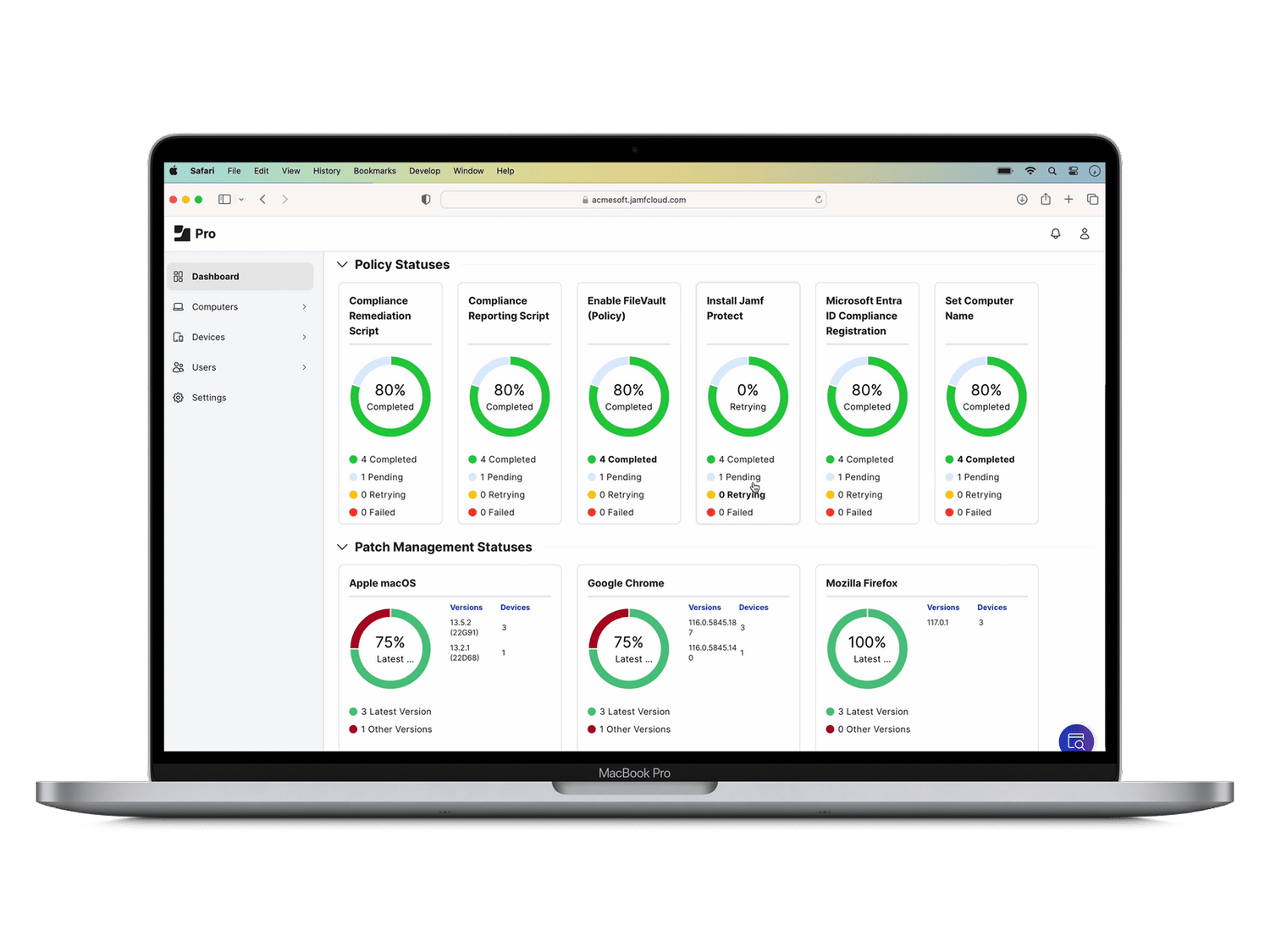
Jamf Pro, Protect, and Connect
Jamf Pro manages apps, settings, and updates. Jamf Protect flags malicious apps and scripts. Jamf Connect signs people in with their work account.
-

Apple Business
Apple Business (formerly Apple Business Manager) enrolls company-owned devices, assigns apps, and manages work accounts. We set it up and connect it to your device management.
-

Zero-touch setup and onboarding
A new Mac, iPhone, or iPad sets itself up the first time it's turned on. When someone leaves, we lock or erase their device and prepare it for the next person.
Ready to hand off day‑to‑day Jamf work?
Book a 30-minute call. Tell us how many devices you run, how Jamf is set up today, and where it falls short. We'll outline the next step, including your Jamf licensing options.