
Managed IT services for Apple-focused teams
Atlas Solutions monitors, updates, and secures the Mac and Windows computers your team works on, and runs the help desk they turn to when something breaks. You get one Apple-focused team for devices, security, and support.
Or call 704-897-2690

When IT is someone's side job
It's usually the office manager, or whoever's best with computers. They reset passwords between their real work, new hires spend day one waiting on a laptop, and if you asked whether every laptop is encrypted, nobody could say for sure. It isn't their fault. It just isn't their expertise.
What managed IT includes
Managed IT means your team's computers are looked after every day, not just when something breaks. Here's what that covers.
-
A help desk that knows Apple
When someone on your team gets stuck, they reach people who can fix it, and who work on Mac, iPhone, and iPad every day.
-
Updates and protection, handled
We monitor your computers, keep macOS, Windows, and apps up to date, and protect them from malware, so small problems get caught early.
-
The right security settings on every device
We follow best practices and deploy the right configuration to every managed device, from FileVault encryption to remote lock and erase. When you need more, we add Jamf Protect and Trusted Access.
-
New hires ready on day one
A new Mac or iPhone sets itself up with your apps and settings the first time it's turned on, and we set up their accounts in tools like Slack and Zoom. When someone leaves, we close those accounts, lock or erase their device, and get it ready for the next person.
-
Windows PCs, too
Apple is our focus, and the Windows PCs in a mixed fleet get the same monitoring, updates, and endpoint protection, so one team looks after everything your staff uses.
-
Backup, when it fits
If your company keeps a lot of data on its own computers, we can set up cloud backup paired with a local NAS. Not every company needs it, and we'll tell you whether yours does.
Managed IT services in detail
-

Zero-touch setup and onboarding
A new Mac, iPhone, or iPad sets itself up the first time it's turned on. When someone leaves, we lock or erase their device and prepare it for the next person.
-

Apple Business
Apple Business (formerly Apple Business Manager) enrolls company-owned devices, assigns apps, and manages work accounts. We set it up and connect it to your device management.
-

Apple School Manager
For schools: Apple School Manager and Jamf School or Jamf Pro, with student and staff accounts and classes from your SIS and devices that enroll themselves.
-

Jamf MSP
For larger fleets, we set up, manage, and support Jamf for your Mac, iPhone, and iPad, so you get an Apple-focused team without hiring a full-time Jamf admin.
-
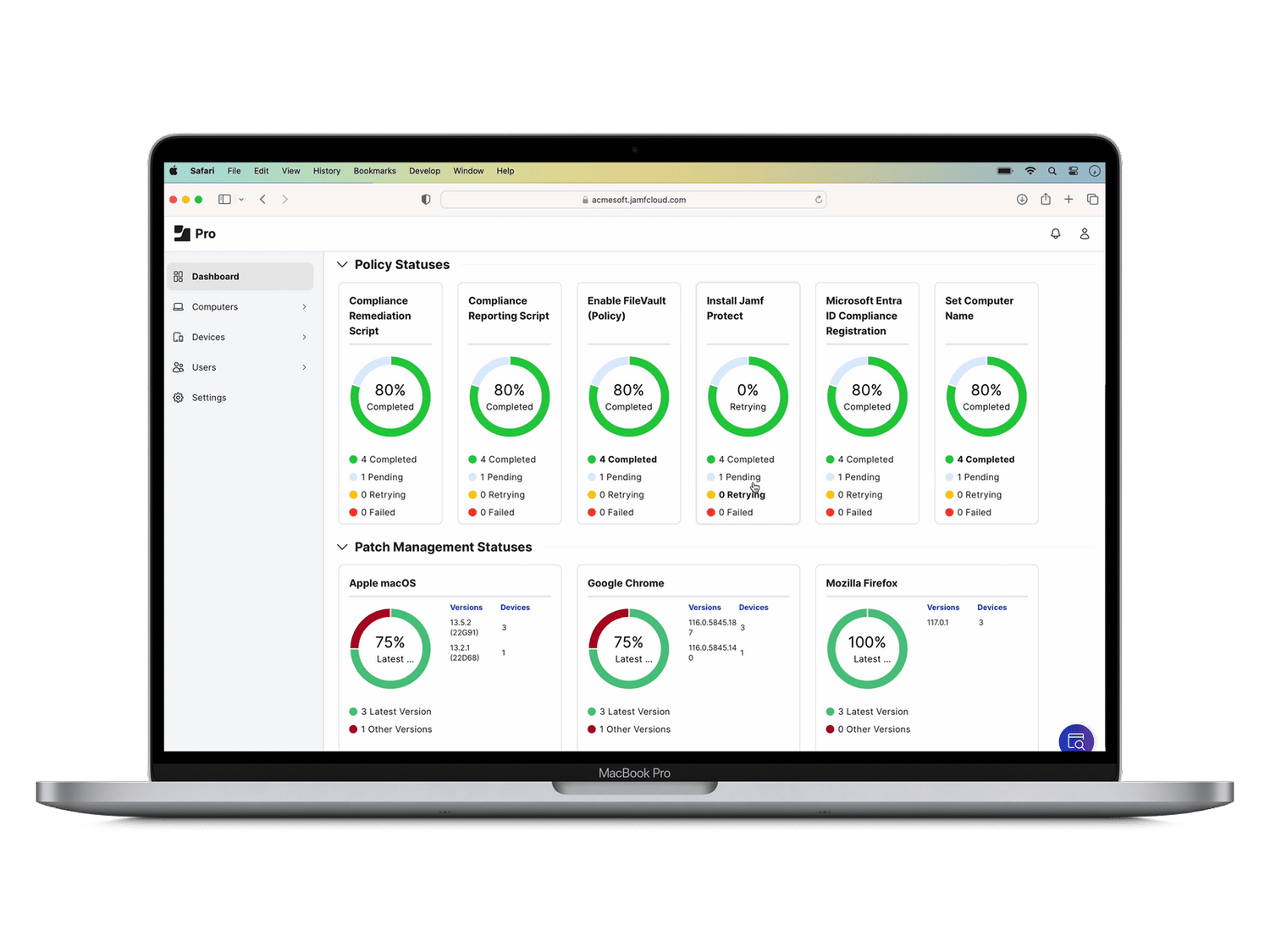
Jamf Pro, Protect, and Connect
Jamf Pro manages apps, settings, and updates. Jamf Protect flags malicious apps and scripts. Jamf Connect signs people in with their work account.
-

Apple professional services
Apple Business setup, the right device management for your size, device procurement, and deployments, run by an Apple Technical Partner.
-

Apple Business Essentials
Apple's own device management, set up and run for you. With declarative device management, every device applies its settings and reports back on its own. When your devices need more, we add Jamf.
-

Fractional CIO
IT leadership without a full-time hire: a technology plan and budget, security policies and training, and someone accountable for what comes next.
Why teams choose Atlas Solutions
Atlas provides Apple MDM and device management as an Apple Technical Partner, and we're an official Jamf MSP, Jamf Integrator, and Jamf Services Partner with more than 10 years of experience.
“We've been extremely impressed with the Atlas team. They are quick to respond, extremely knowledgeable and fun to work with too!”




Where we work
-
Charlotte and Lake Norman
On site and remote, from Davidson to Charlotte, Concord, and Rock Hill, and across the Carolinas.
-
Anywhere in the US
Remote IT support for Apple teams: help desk, device management, and security, wherever your people work.
Questions we get
Do you support Windows as well as Mac?
What device management do you use?
Can you set up Apple Business?
What happens on the free consultation?
Tell us about your devices and your team.
We'll map out the support that fits in a free 30-minute consultation.