Export Passwords from Safari to Ease the Move to a Password Manager
Although Apple has improved the built-in password management features in macOS and iOS (you can now add notes to password entries!), third-party password managers like 1Password and LastPass are…

(Featured image by iStock.com/metamorworks)
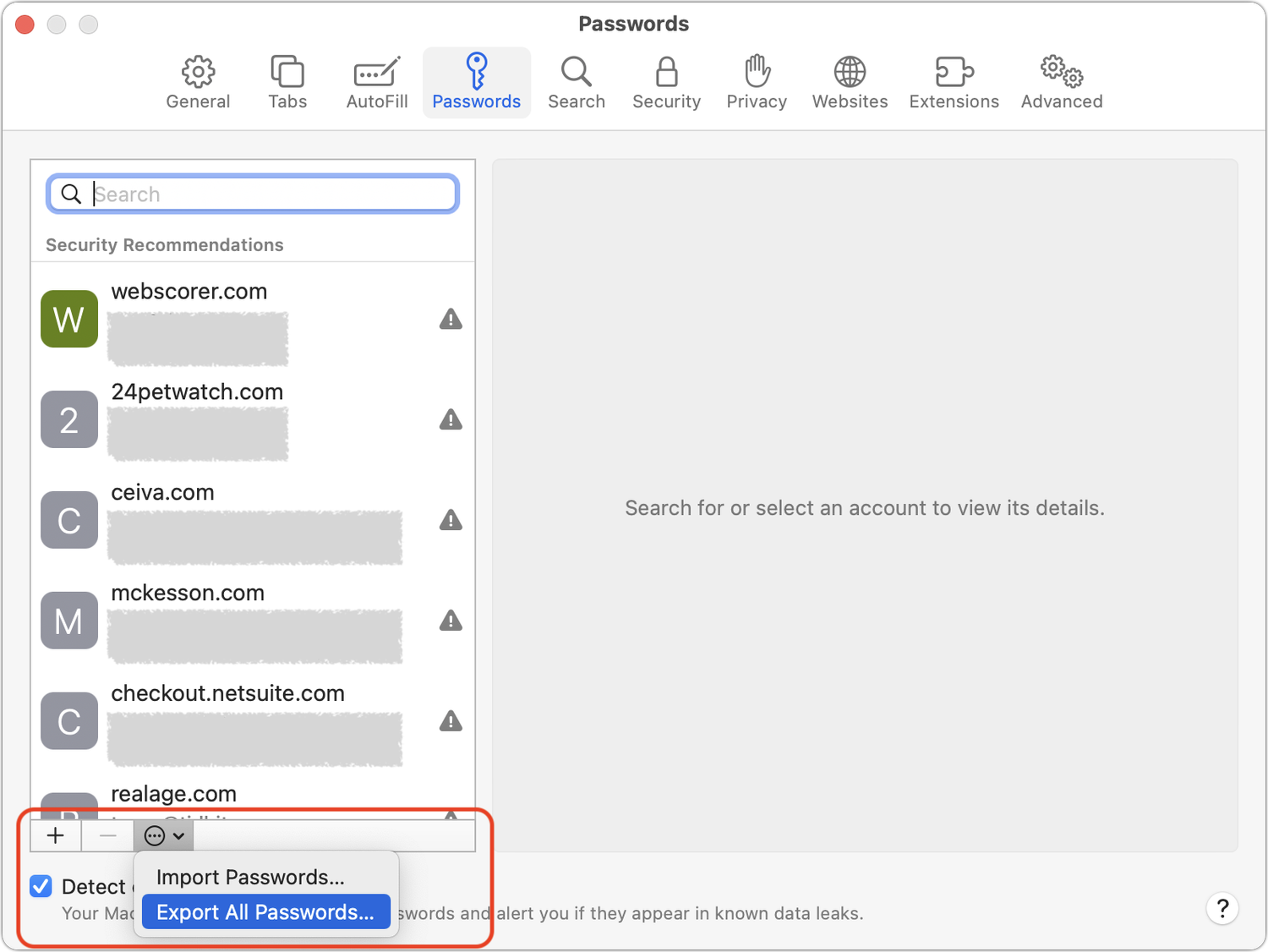
Although Apple has improved the built-in password management features in macOS and iOS (you can now add notes to password entries!), third-party password managers like 1Password and LastPass are still more capable. For those still getting started using a password manager, another new capability will ease the transition: Safari password export. To export a CSV file of your Safari passwords, choose Safari > Preferences > Passwords, and enter your password when prompted. From the bottom of the left-hand sidebar, click the ••• button, choose Export All Passwords, and save the Passwords.csv file to the Desktop. After you import the file into 1Password (instructions), LastPass (instructions), or another password manager, be sure to delete the exported file and empty the trash.