Want to Use Your Friends’ Nicknames in iOS? Here’s How
Add a nickname to a contact and turn on Prefer Nicknames, and your iPhone shows friends by the name you actually call them in Messages and Mail.

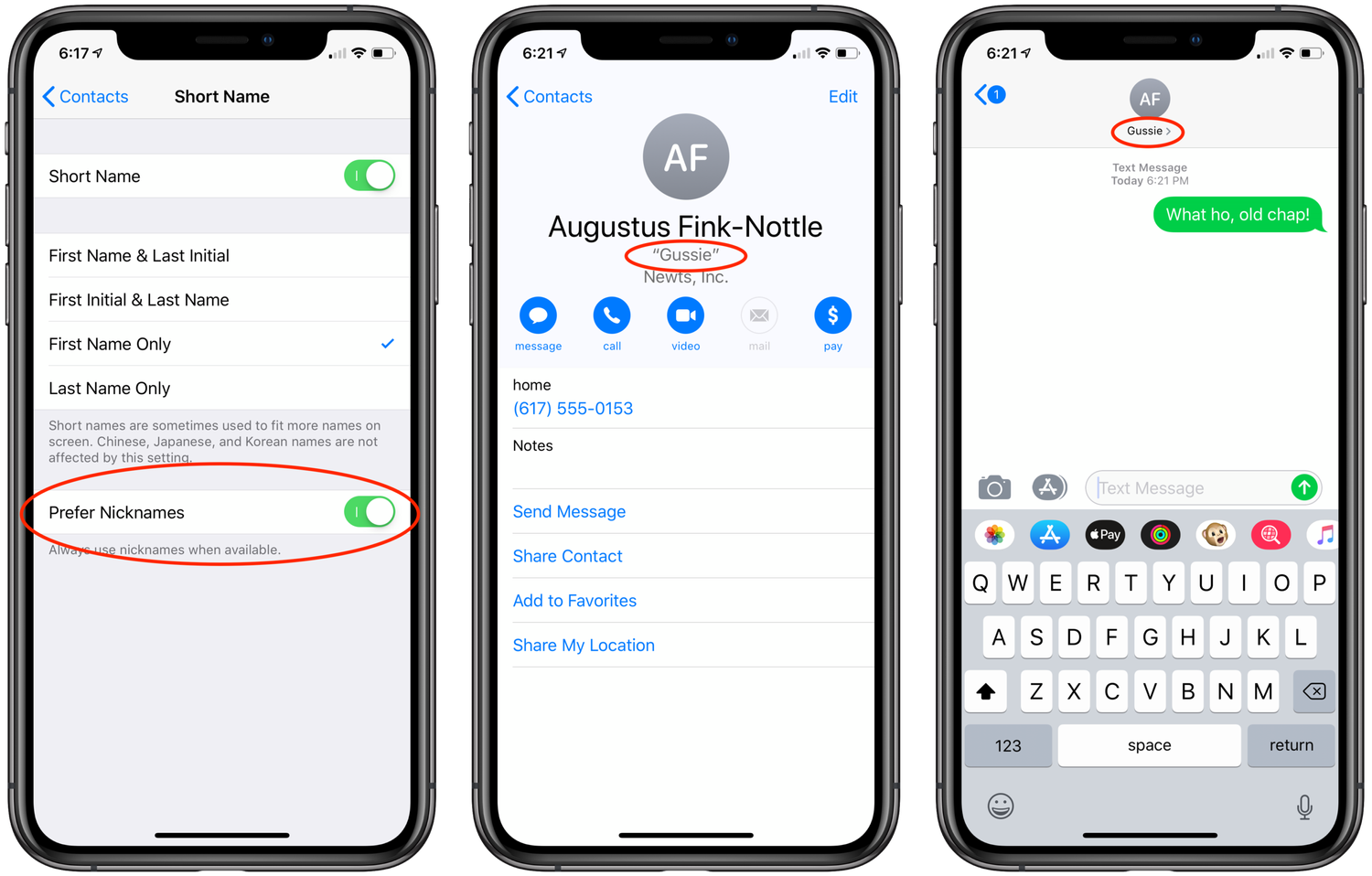
If you have a friend whom you refer to only by his nickname, it can be annoying to feel like you should use his proper first name when adding him to Contacts. Worse, then he shows up in Messages with a name you don’t recognize as easily. Here’s how to convince iOS to use his nickname instead. Open his card in Contacts, tap Edit, scroll to the bottom, tap Add Field, and tap Nickname. That puts a Nickname field at the top, under his proper name, for you to fill in. To get iOS to use it, go to Settings > Contacts > Short Name and enable Prefer Nicknames. From then on, you can enter your friend’s nickname instead of his proper name in apps like Messages and Mail, and iOS will also display it instead of his name everywhere.