Reveal Mac Window Proxy Icons Permanently with This Setting

People who like using the Mac’s window proxy icons (and if you don’t know about them, you should!) can make them visible at all times with an option deep within System Settings. Here’s how to find it and what you can do with proxy icons.
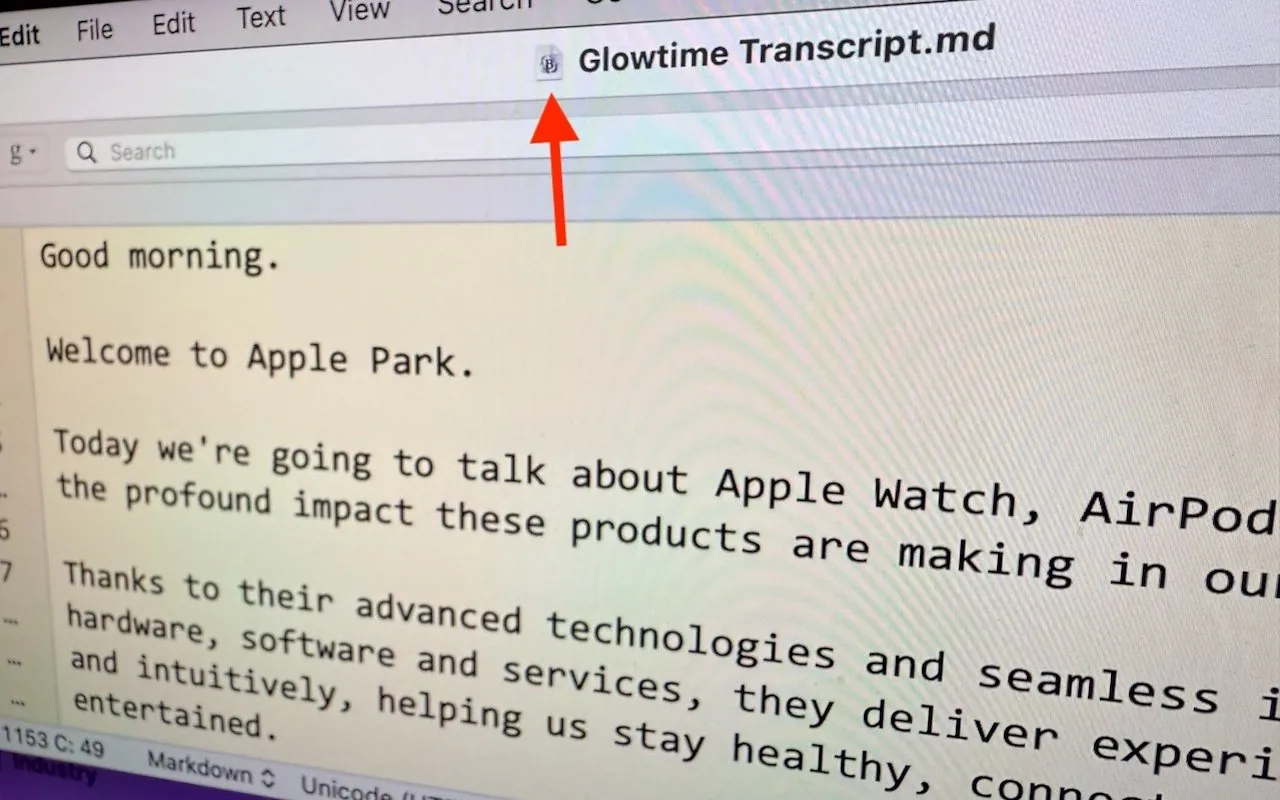
BBEdit window title bar showing the proxy icon next to the filename 'Glowtime Transcript.md', with a red arrow pointing to it

We’re big fans of the Mac’s window proxy icons, those little icons that appear in window title bars next to the filename. They’re not just cosmetic—you can use them just like the Finder icon for the open document. You can drag one to Mail to attach the document to a message, to a Web browser to upload it, or to any other location you can drag a document’s icon in the Finder. You can also drag a proxy icon for a folder from the title bar of its Finder window to Open and Save dialogs to navigate to the folder. In macOS 11 Big Sur, Apple hid the proxy icon until you moused over the filename, but starting in macOS 12 Monterey, the company provided an option to show them all the time. To enable it, select System Settings > Accessibility > Display > Show window title icons.
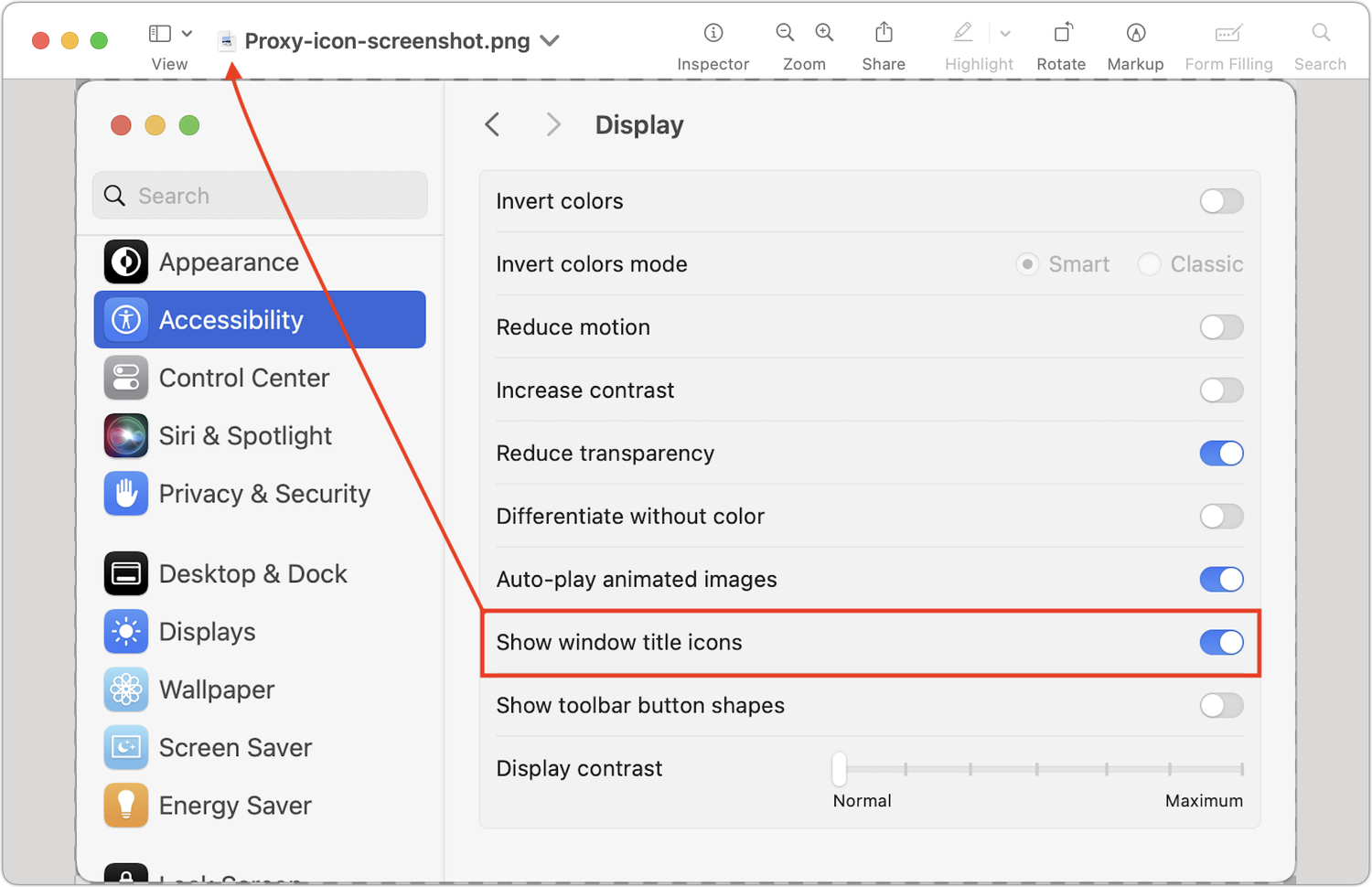

Preview title bar showing a proxy icon, and macOS Accessibility > Display with 'Show window title icons' enabled

About Atlas Solutions

Atlas Solutions is an Apple Technical Partner and Jamf MSP in Davidson, NC. We manage and secure Mac, iPhone, and iPad for businesses in Charlotte, Lake Norman, and beyond. More about us

See all

Mac tips

Dealing With the MacBook Notch in macOS 27 Golden Gate

Menu bar icons hidden behind your MacBook’s notch? macOS 27 Golden Gate finally adds a built-in fix: arrows that reveal the missing items. It’s not a replacement for Bartender or Ice, but it solves the core problem.

1 min read

Mac tips

You Quit the App. Why Is It Still Running?

An app can keep working after you quit it. macOS 27 Golden Gate makes that background activity easier to spot, and gives you controls to stop it when it’s no longer useful.

1 min read

Have an IT question we haven't covered?

In a free 30-minute call, tell us about your devices and your team, and we'll outline the next step.