Share Your Location Temporarily While Traveling

Put an end to the “where are you now?” texts. iOS lets you temporarily share your location with friends and family while traveling—here’s how to set it up in Messages.
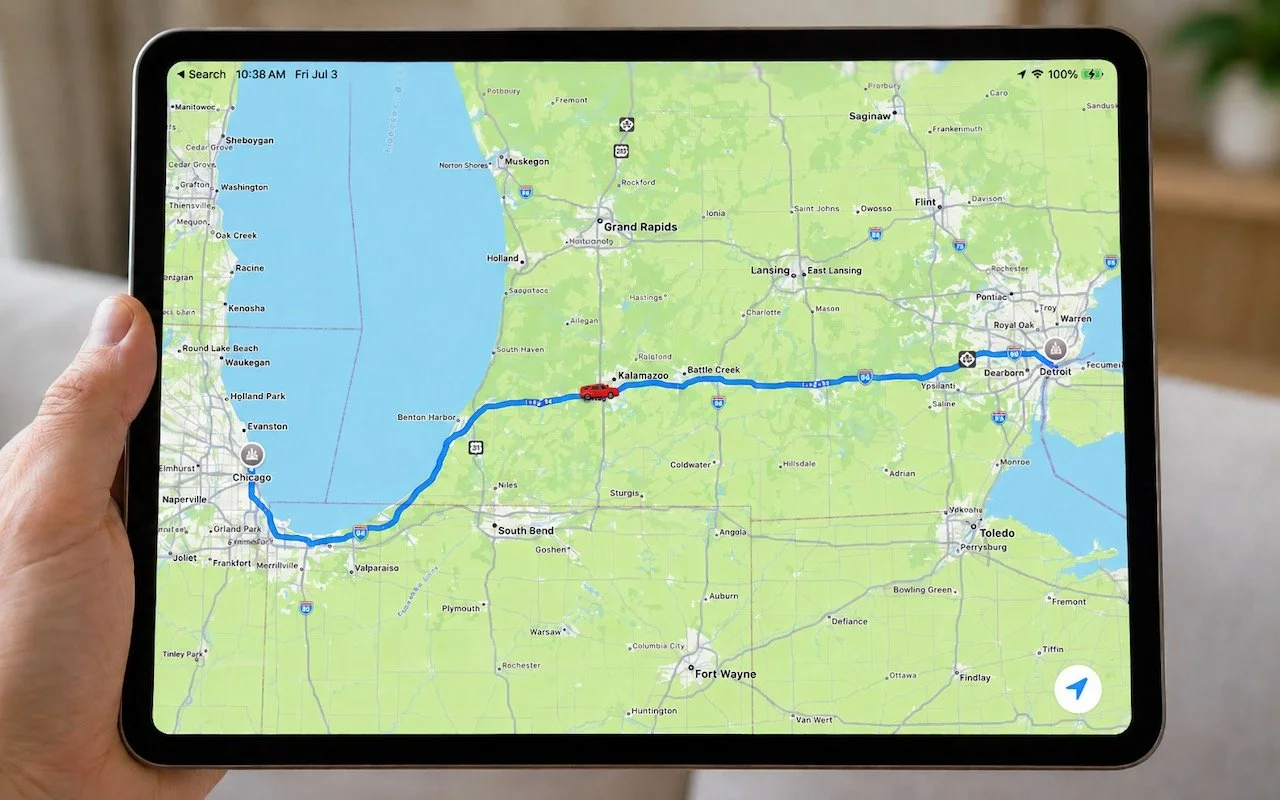
iPad showing Apple Maps with a driving route from Chicago toward Detroit, a car icon indicating the current position midway

The next time you’re flying, driving, or biking to visit an iPhone-using friend or relative, try sharing your location temporarily so they can check in on your progress without constant “where are you now?” texts. In iOS 17 and later, open a Messages conversation with that person, tap the ⊕ button to the left of the message entry field, and tap Location. In the location-sharing control that appears, tap the Share button, then choose Until End of Day or For One Hour. You can also tap the Request button to ask the recipient to share their location with you. If you pick Indefinitely for the sharing duration and later wish to revoke it, open the Find My app, tap the People list, select the person, and tap Stop Sharing My Location.
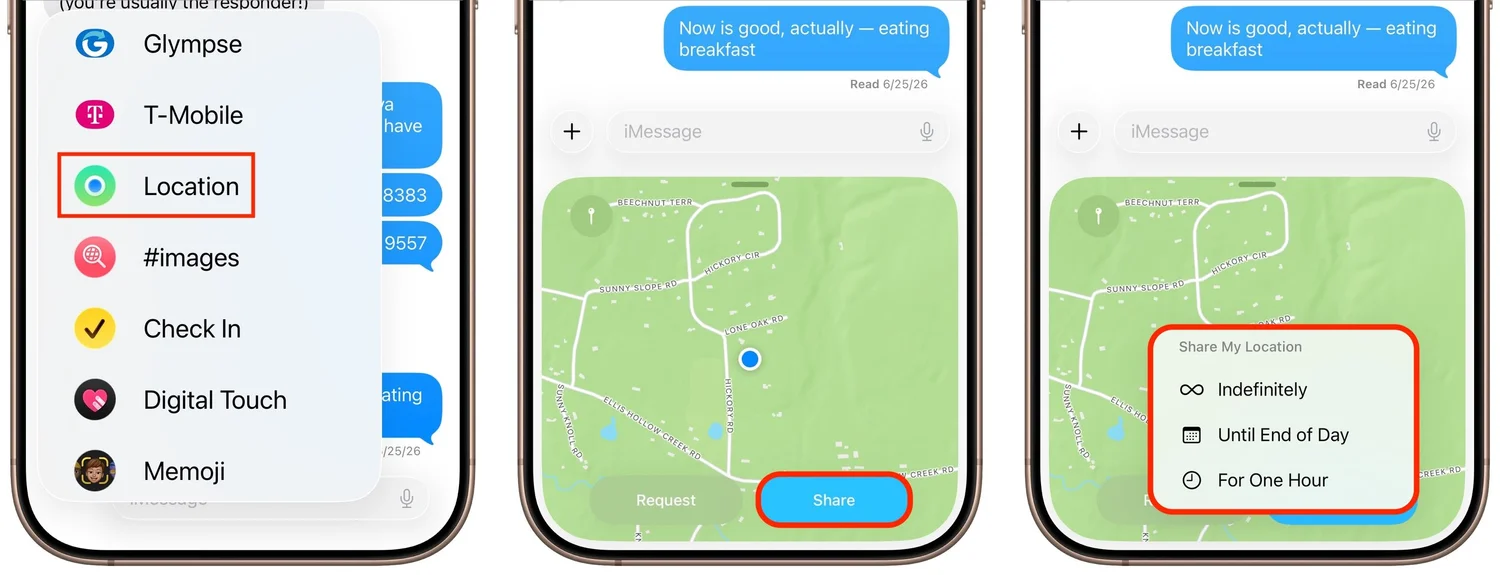

Three iPhones showing steps to share location in Messages: choosing Location from the menu, the map, and duration options

About Atlas Solutions

Atlas Solutions is an Apple Technical Partner and Jamf MSP in Davidson, NC. We manage and secure Mac, iPhone, and iPad for businesses in Charlotte, Lake Norman, and beyond. More about us

See all

Mac tips

Dealing With the MacBook Notch in macOS 27 Golden Gate

Menu bar icons hidden behind your MacBook’s notch? macOS 27 Golden Gate finally adds a built-in fix: arrows that reveal the missing items. It’s not a replacement for Bartender or Ice, but it solves the core problem.

1 min read

Mac tips

You Quit the App. Why Is It Still Running?

An app can keep working after you quit it. macOS 27 Golden Gate makes that background activity easier to spot, and gives you controls to stop it when it’s no longer useful.

1 min read

Have an IT question we haven't covered?

In a free 30-minute call, tell us about your devices and your team, and we'll outline the next step.