Control Song Transitions in Apple Music

Apple’s new DJ‑style AutoMix transitions between songs in the Music app aren’t to everyone’s taste (and sometimes flub the jump). Here’s how to switch back to a timed Crossfade or disable transitions in Music on your iPhone, iPad, and Mac.

DJ in headphones and sunglasses adjusting a mixer in front of glowing light bars

A new feature for Apple Music subscribers in the Music app in iOS 26, iPadOS 26, and macOS 26 is AutoMix, which Apple says causes songs to “transition at the perfect moment, based on analysis of the key and tempo of the music.” It fades between songs as a DJ would, but it’s not always successful. If AutoMix’s transitions aren’t to your taste, navigate to Settings > Apps > Music > Song Transitions in iOS and iPadOS, or Music > Settings > Playback > Song Transitions in macOS, and switch back to the longstanding Crossfade option, which transitions between songs over a user‑specified number of seconds. Or, just turn off the Song Transitions switch and let one song end completely before the next one starts.
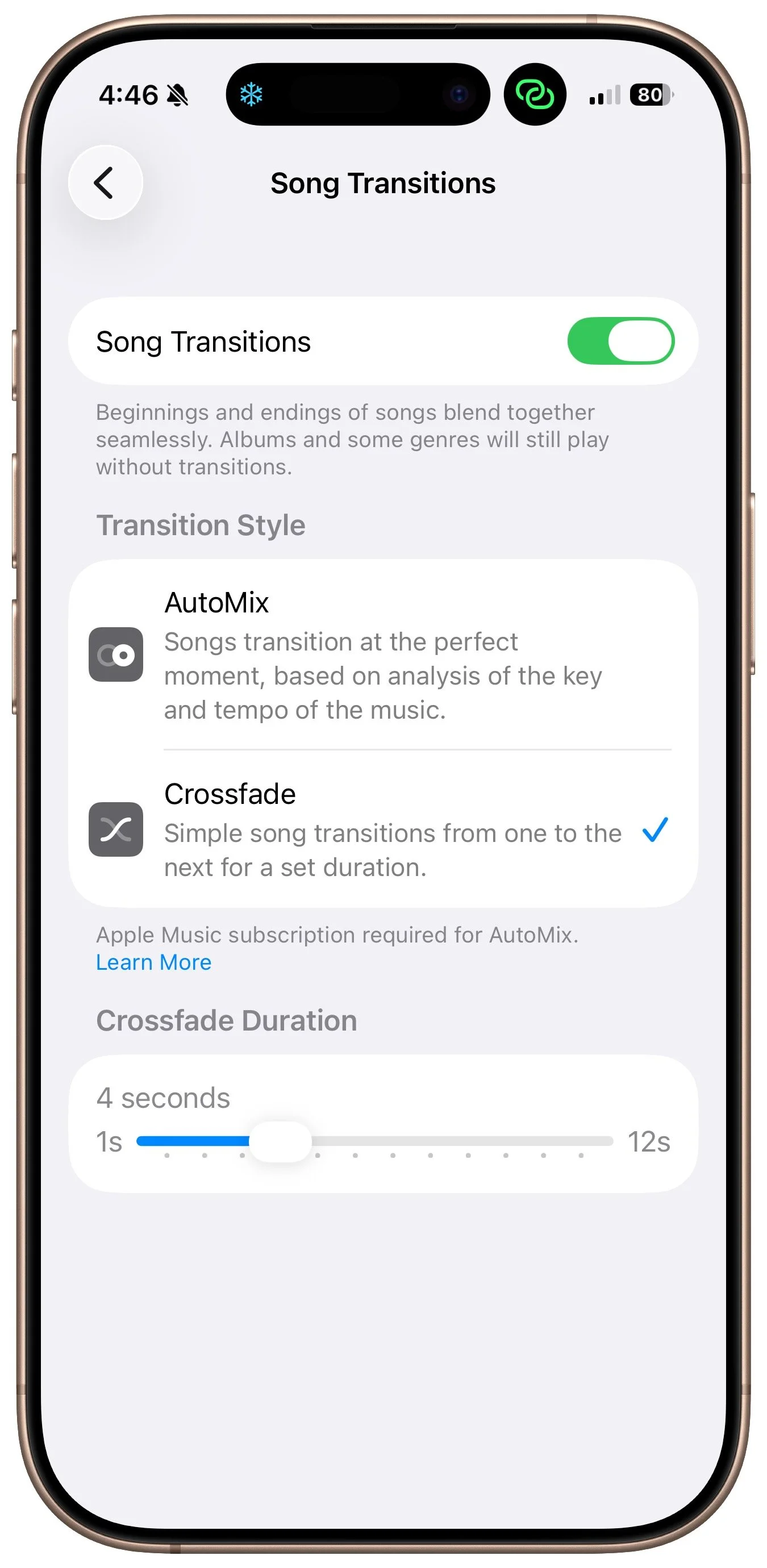

iPhone Music Song Transitions settings with Crossfade selected over AutoMix and a 4-second crossfade duration

About Atlas Solutions

Atlas Solutions is an Apple Technical Partner and Jamf MSP in Davidson, NC. We manage and secure Mac, iPhone, and iPad for businesses in Charlotte, Lake Norman, and beyond. More about us

See all

Mac tips

Dealing With the MacBook Notch in macOS 27 Golden Gate

Menu bar icons hidden behind your MacBook’s notch? macOS 27 Golden Gate finally adds a built-in fix: arrows that reveal the missing items. It’s not a replacement for Bartender or Ice, but it solves the core problem.

1 min read

Mac tips

You Quit the App. Why Is It Still Running?

An app can keep working after you quit it. macOS 27 Golden Gate makes that background activity easier to spot, and gives you controls to stop it when it’s no longer useful.

1 min read

Have an IT question we haven't covered?

In a free 30-minute call, tell us about your devices and your team, and we'll outline the next step.