
AI access and identity
Approved AI tools sign in through Okta or Microsoft Entra. Access follows each person's work account, so it starts on their first day and ends when they leave.
Or call 704-897-2690

Sign-in with Okta or Microsoft Entra
No separate AI passwords. Your people use the work account they already have, with single sign-on through Okta, or Microsoft Entra for teams on Microsoft 365. We run that sign-in as part of Security & Identity, and it's one piece of our AI consulting and governance work.
-
Access that follows the account
A new hire gets access to the approved AI tools on their first day. When someone leaves, it's gone with their work account. Nobody has to remember to revoke it.
-
AI apps on company Mac computers
Some AI apps ask to read files across the whole Mac. We check which apps have that access, allow the ones you trust, and deny the rest. AI governance
-
You keep the identity licenses
We manage the sign-in. You own Okta or Microsoft Entra, and we don't sell those licenses.
Questions we get
Do people get a separate AI login?
What about AI apps that want full file access?
Who owns the Okta or Entra licenses?
Related services
-
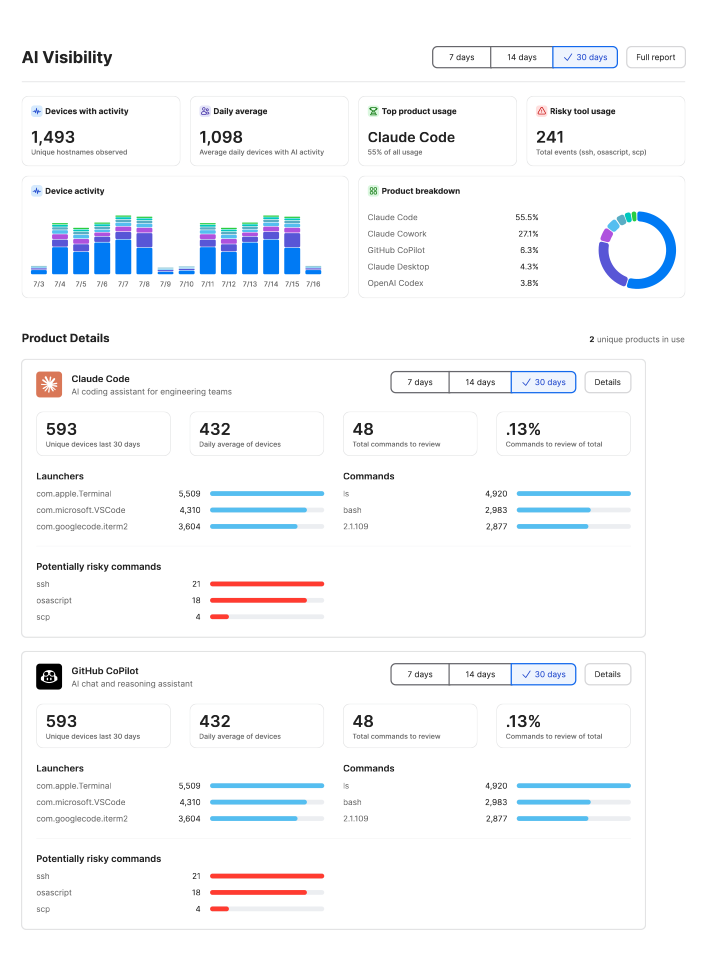
AI governance
See which AI apps are already in use, set rules your team will follow, and enforce them on your devices and accounts, including Jamf AI Governance on company Macs.
-

AI data protection
We keep customer lists, contracts, and other sensitive files out of public AI tools, and we clean up file sharing before Copilot or Gemini can see it.
-

AI tool selection and rollout
We help you choose and roll out Microsoft Copilot, Google Gemini, ChatGPT Enterprise, or the Claude Team plan, starting with a small group. You keep the licenses.
Put AI behind the sign-in you already have.
Book a 30-minute call. Tell us which AI tools your team uses and which sign-in you run today.