

Mac tips
How to Copy an App Icon on the Mac
Have you ever wanted to use a Mac app’s icon in documentation or a Web page? It’s easy to copy a high-resolution version straight from the Finder!
Shortcuts, settings, and fixes for Mac, from the team that manages Macs for businesses every day.
Mac tips
Have you ever wanted to use a Mac app’s icon in documentation or a Web page? It’s easy to copy a high-resolution version straight from the Finder!
Mac tips
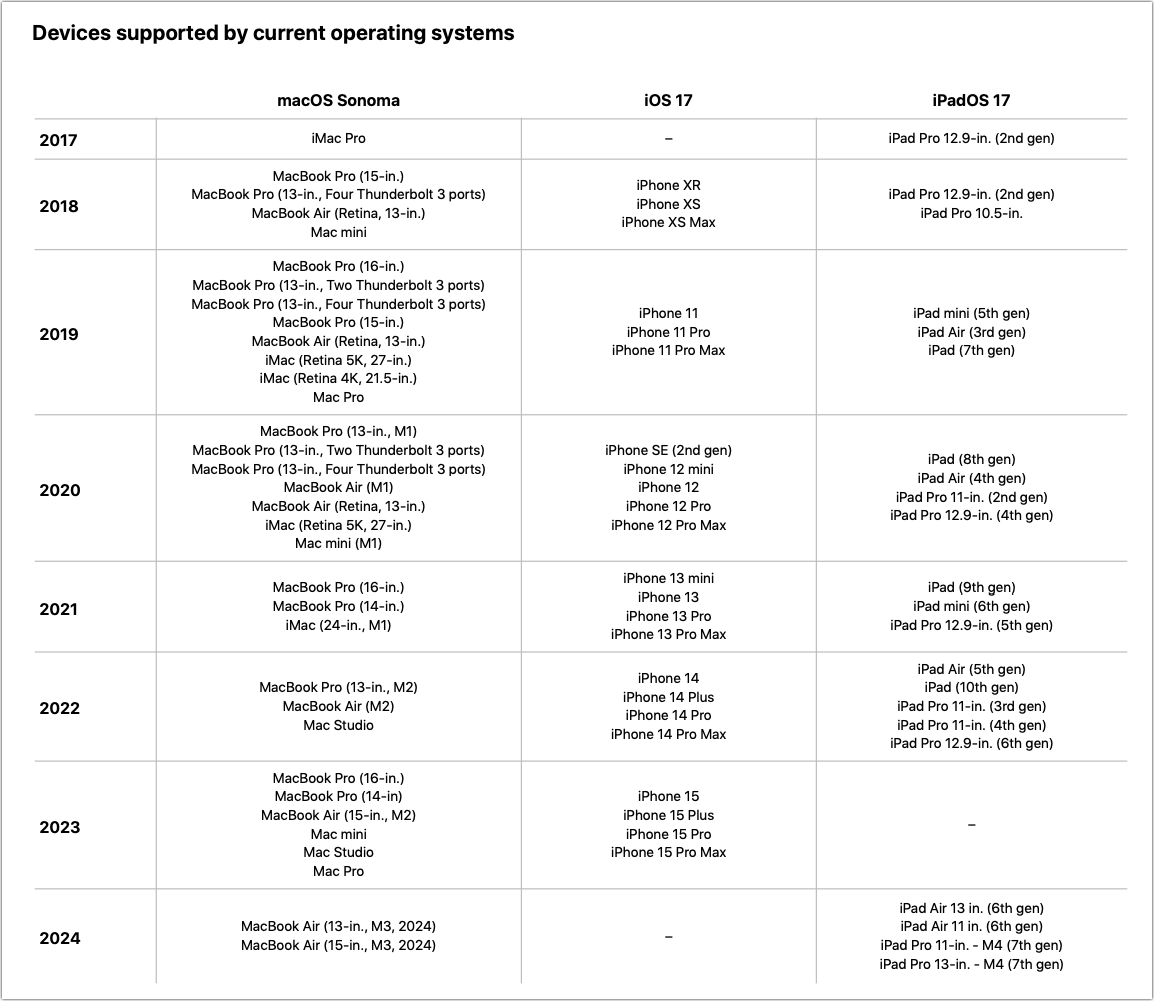
Apple has published a white paper that offers an illuminating look at how the company works to increase device longevity while balancing environmental impact, protecting customer privacy and safety, and enabling transparency in repair.
Mac tips
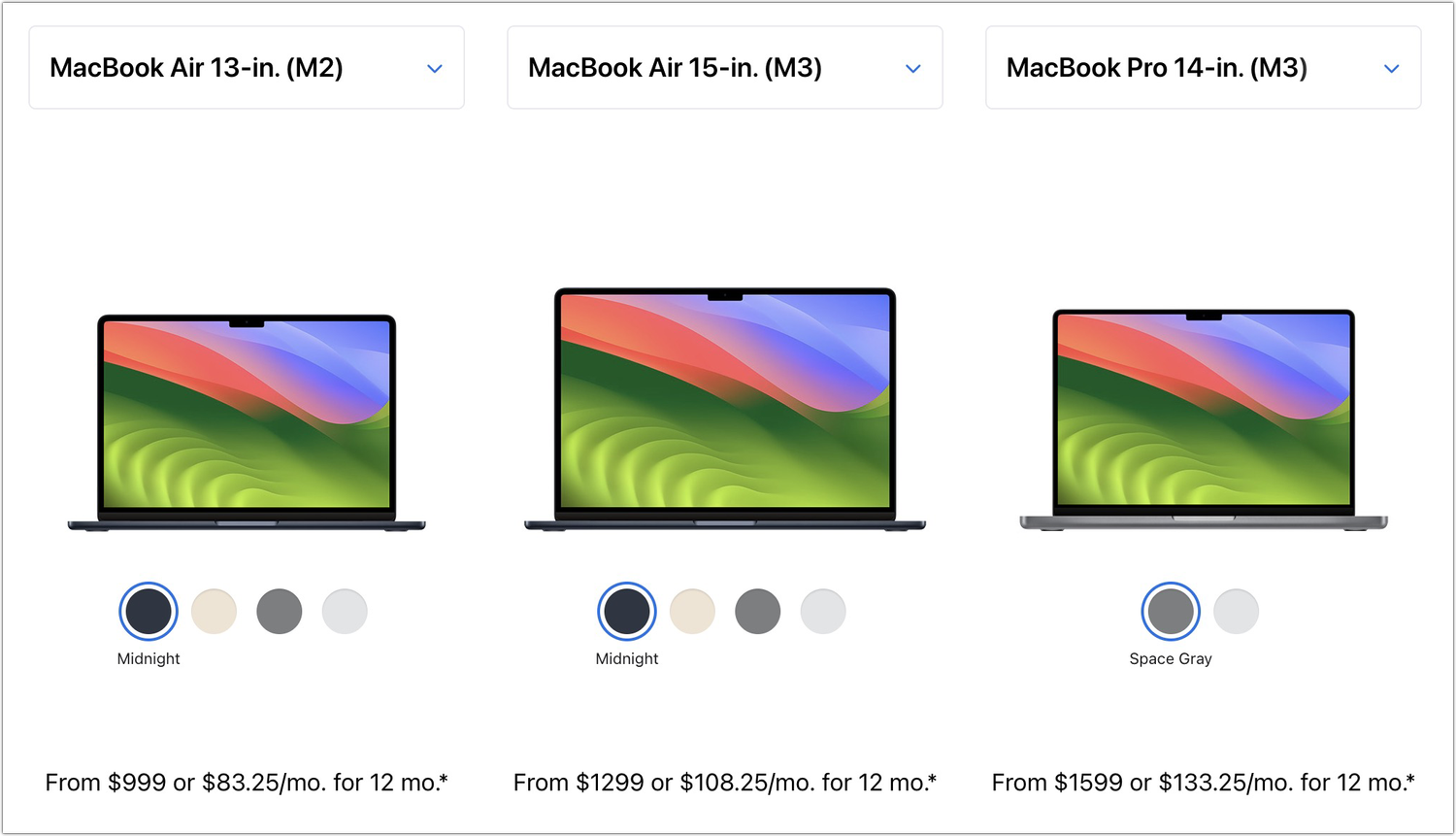
Which Mac is best for a college student in 2024? Our short answer is either the 13-inch or 15-inch M3 MacBook Air, although students with significant processing needs (like audio or video editing) might consider the 14-inch MacBook Pro.
Mac tips
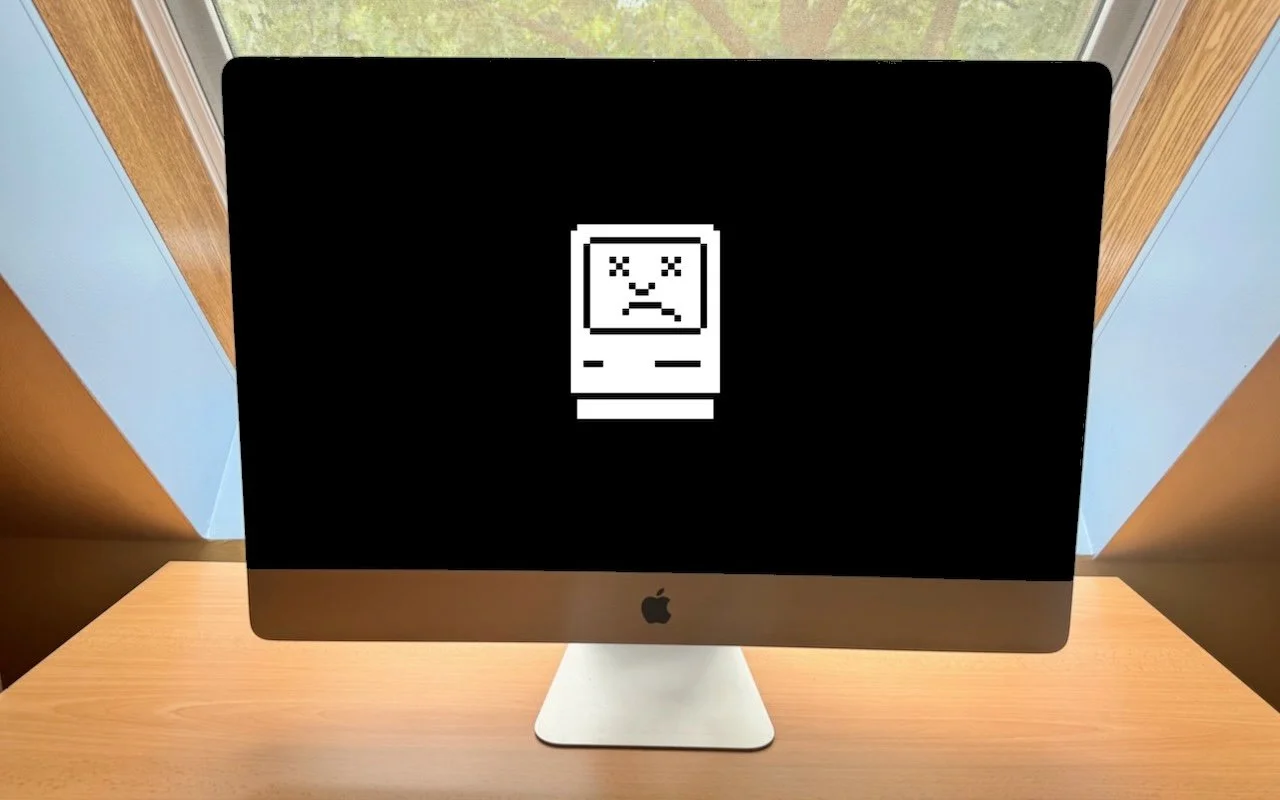
Sorry, Apple Isn’t Going to Update the 27-inch iMac with Apple Silicon Sorry, 27-inch iMac lovers, but Apple isn’t going to release a 27-inch iMac with Apple silicon chips. We explain why and run down the upgrade options for those who need to move on.

Mac tips
If you regularly work at your Mac late at night and have trouble falling asleep, consider turning on Night Shift to reduce your blue light exposure. By default, it makes the col-ors of your Mac warmer from sunset to sunrise.

Mac tips
Quickly Catalog Books or Other Named Items on Shelves You can take advantage of Apple’s Live Text feature in Photos to catalog books, boxes, or any other items with text names. Think of it as a lazy person’s ad hoc database.

Mac tips
Tame the Tangle! Quick Cable Management Tips Do you have a rat’s nest of random cables behind your Mac? Follow our quick tips to bring order to the mess, reduce the chance of accidents, and avoid degraded data sig-nals.

Mac tips
Where Can You Control Automatic Smart Quotes and Dashes in macOS? Smart quotes and dashes usually make your text look more professional. But if they’re problematic, you can turn off the feature that inserts them automatically or revert them on a one-off basis.

Mac tips
Did You Know Most Mac Apps Keep Versions of Your Documents as You Work? If you ever regret making a change too long ago to revert using Undo, try the version-ing capabilities in many macOS apps that let you view, copy data from, and revert to previous versions of a document.

Mac tips
How to Display the Battery Percentage in Your Mac’s Menu Bar If you’re tired of trying to interpret how full your MacBook’s battery is from its menu bar icon, here’s how to get it to display a percentage as well.
Mac tips
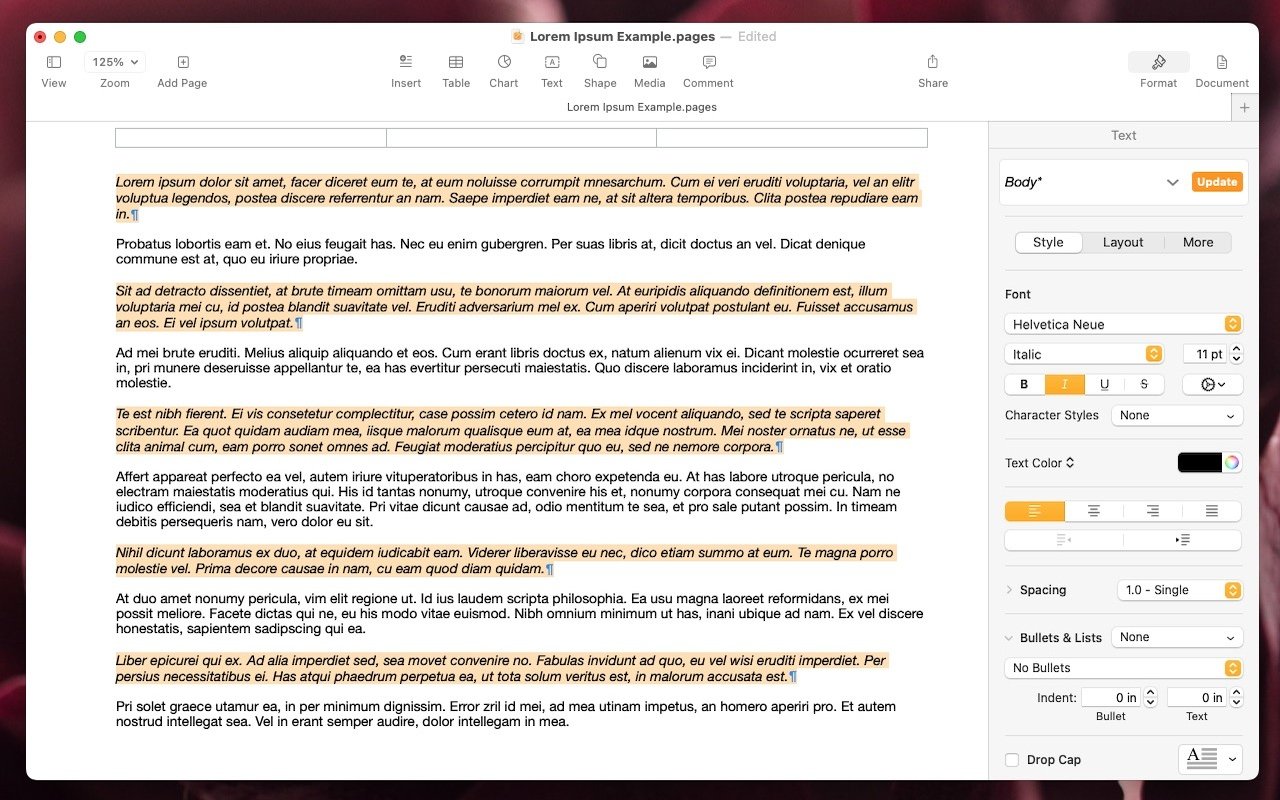
Select Non-Contiguous Text in Pages, Keynote, and Numbers 14 A new feature in Pages, Keynote, and Numbers lets you select bits of text that aren’t next to each other so that you can, for example, format them or copy them all at once.
Mac tips
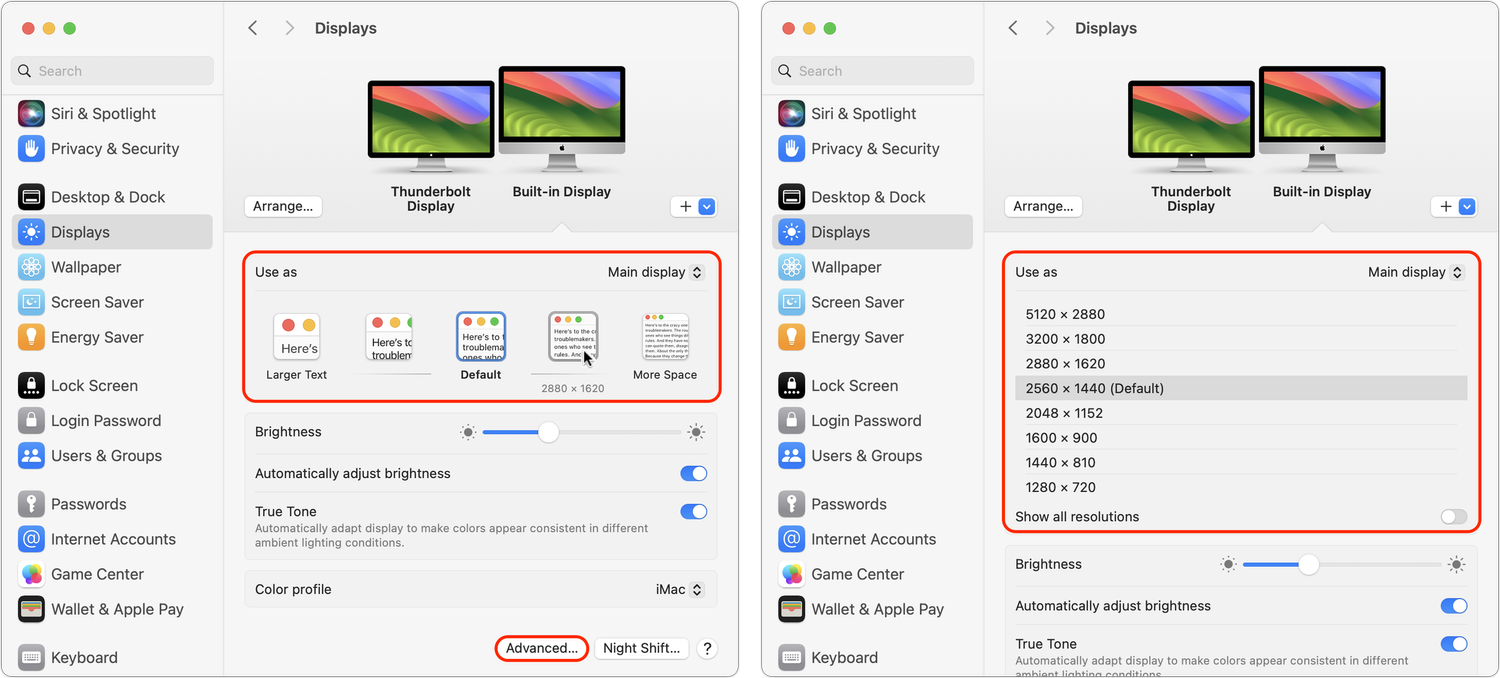
Tips for Working with Mac Display Resolutions You can adjust your Mac’s screen resolution to make text and graphics larger so they’re easier to see, or if you have good vision, you can make them smaller so more content fits on the screen. Our tips will help.
In a free 30-minute call, tell us about your devices and your team, and we'll outline the next step.