

Mac tips
Share Your Location Temporarily While Traveling
Put an end to the “where are you now?” texts. iOS lets you temporarily share your location with friends and family while traveling—here’s how to set it up in Messages.
Tips and plain-English explainers on Mac, iPhone, and iPad, security, and AI at work, from the Apple Technical Partner team in Davidson, NC.
Mac tips
Put an end to the “where are you now?” texts. iOS lets you temporarily share your location with friends and family while traveling—here’s how to set it up in Messages.

Mac tips
Stop wasting menu bar space. macOS 26 Tahoe’s revamped Control Center lets you add, remove, resize, and rearrange controls—including third-party ones—to fit your needs.

Mac tips
Tired of missing meetings because you didn’t notice the notification? In Your Face shows unmissable full-screen alerts before calendar events and makes joining video calls easy. It’s available for the Mac, Windows, iPhone, iPad, and Apple Watch.

Security and privacy
Need to share passwords, financial details, or sensitive documents securely? Email alone isn’t safe enough. Learn eight practical methods—from self-destructing links to encrypted disk images—that protect your data in transit and at rest.
Mac tips
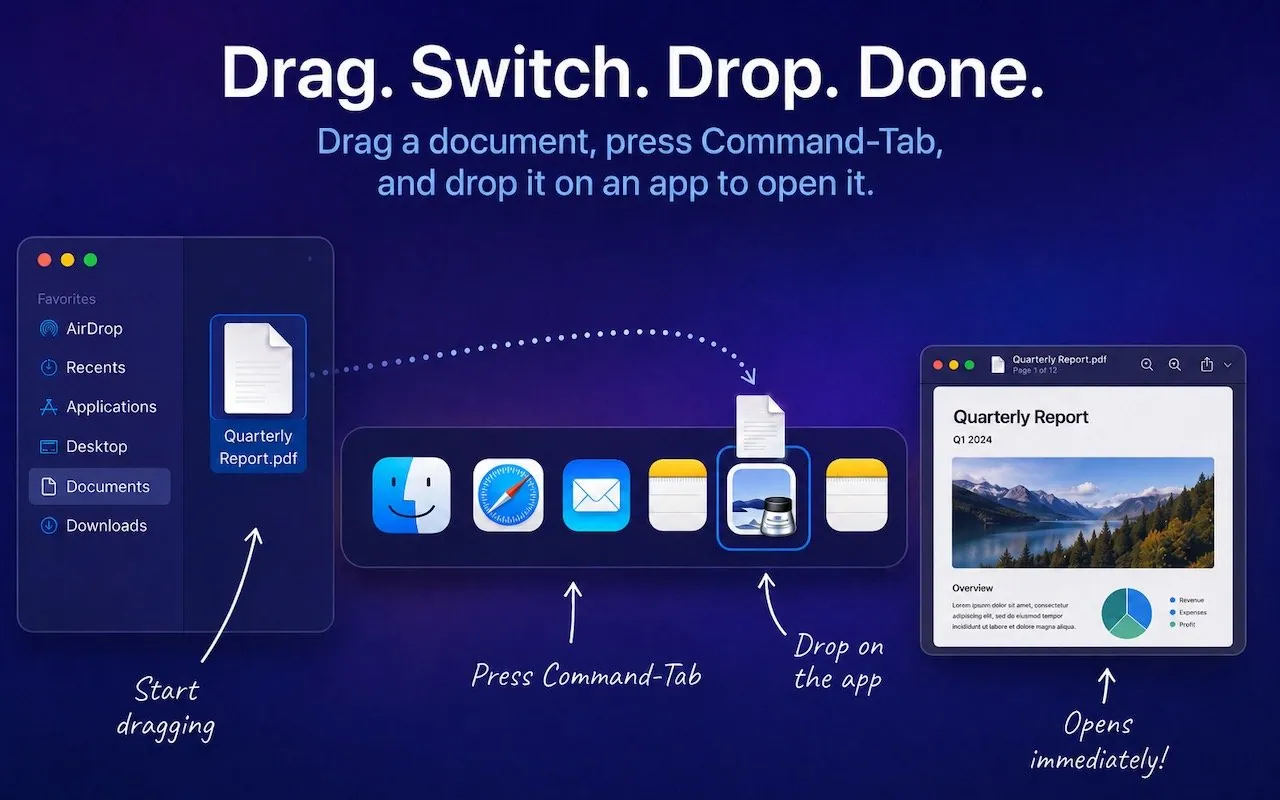
Did you know you can open a file quickly by dragging it onto an app in the macOS App Switcher? Start dragging, press Command-Tab, and drop. It’s one of the App Switcher’s many tricks.
iPhone and iPad tips
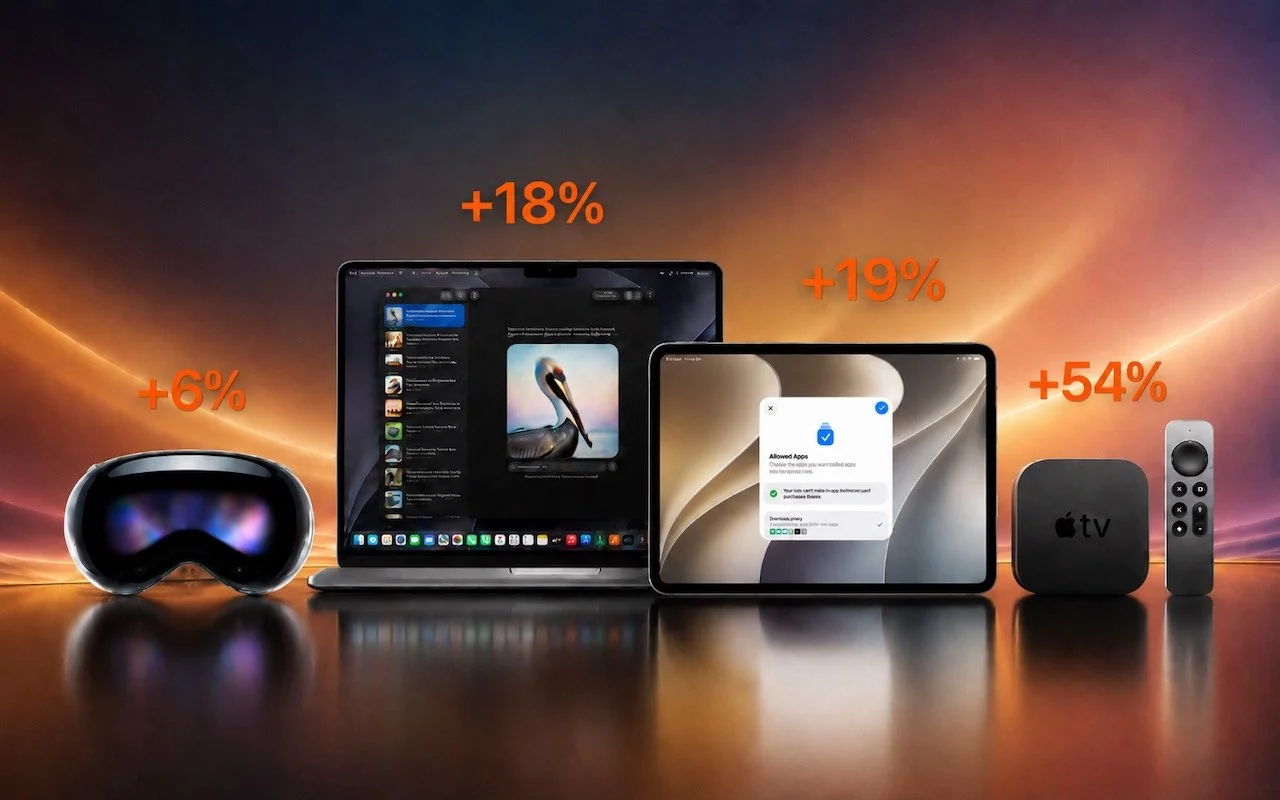
Apple just raised Mac and iPad prices by 15–33%, blaming the AI industry’s hunger for memory and storage chips. The iPhone and Apple Watch were spared, but the next new models may be more expensive. Here’s what you need to know.

iPhone and iPad tips
Tired of hunt-and-peck typing on your iPhone? Try QuickPath—just drag your finger across each letter in a word to swipe-type it. It’s surprisingly accurate and worth learning.

AI at work
Still thinking of AI as just a chatbot? Today’s tools search the Web, run code, access your files, and can even take actions—all triggered from the same chat interface. The results are better but come with new responsibilities.

iPhone and iPad tips
Frustrated when Dictation on the iPhone mangles what you meant to say? Create fake contacts for troublesome words, and Dictation will learn to recognize them correctly across all your Apple devices.

Business IT
When’s the right time to upgrade your Mac, iPhone, iPad, or Apple Watch? The key warning signs: a battery that no longer lasts all day, performance lags, and the end of security updates. Here’s how to time it right.

Business IT
Microsoft Office 2019 for Mac will become read-only on July 13, 2026. Check your version now and explore your upgrade options before you lose the ability to create and edit documents.

AI at work
Anthropic’s Mythos Preview AI model found over 10,000 high- or critical-severity vulnerabilities in one month. Similar AI models will soon be available to attackers, so keeping your devices updated has never been more important.
In a free 30-minute call, tell us about your devices and your team, and we'll outline the next step.